Why do we need permissions?
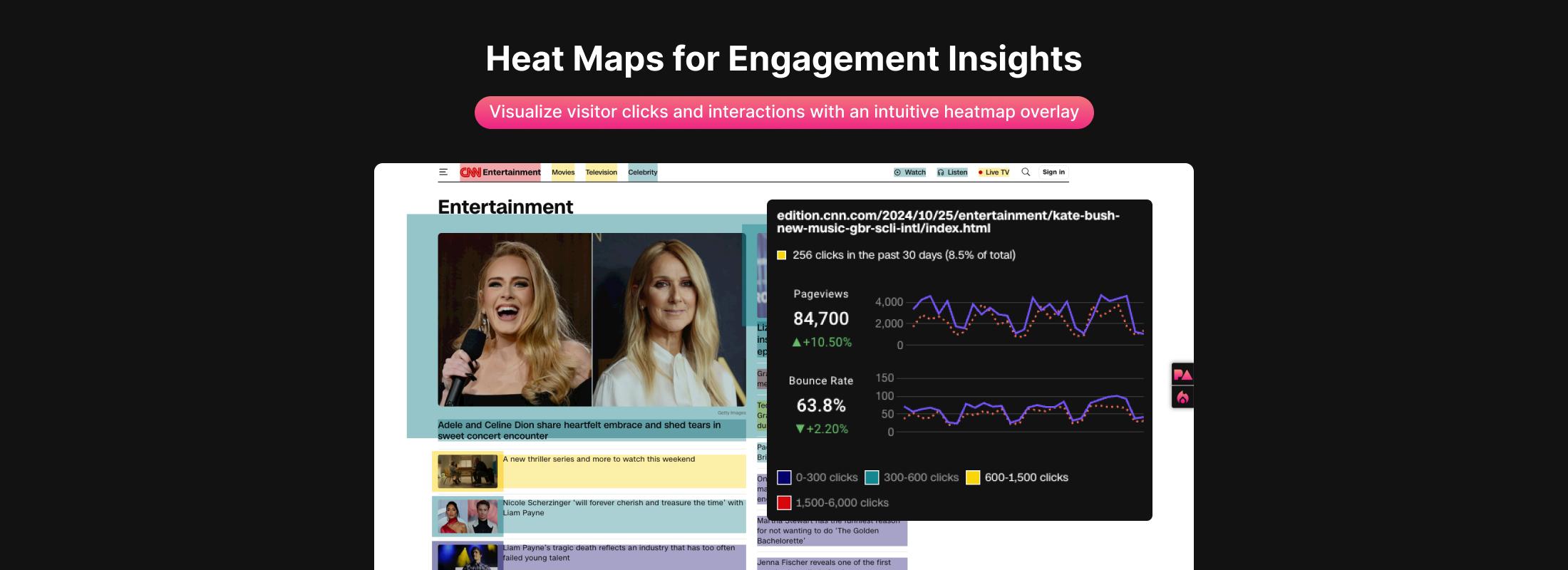
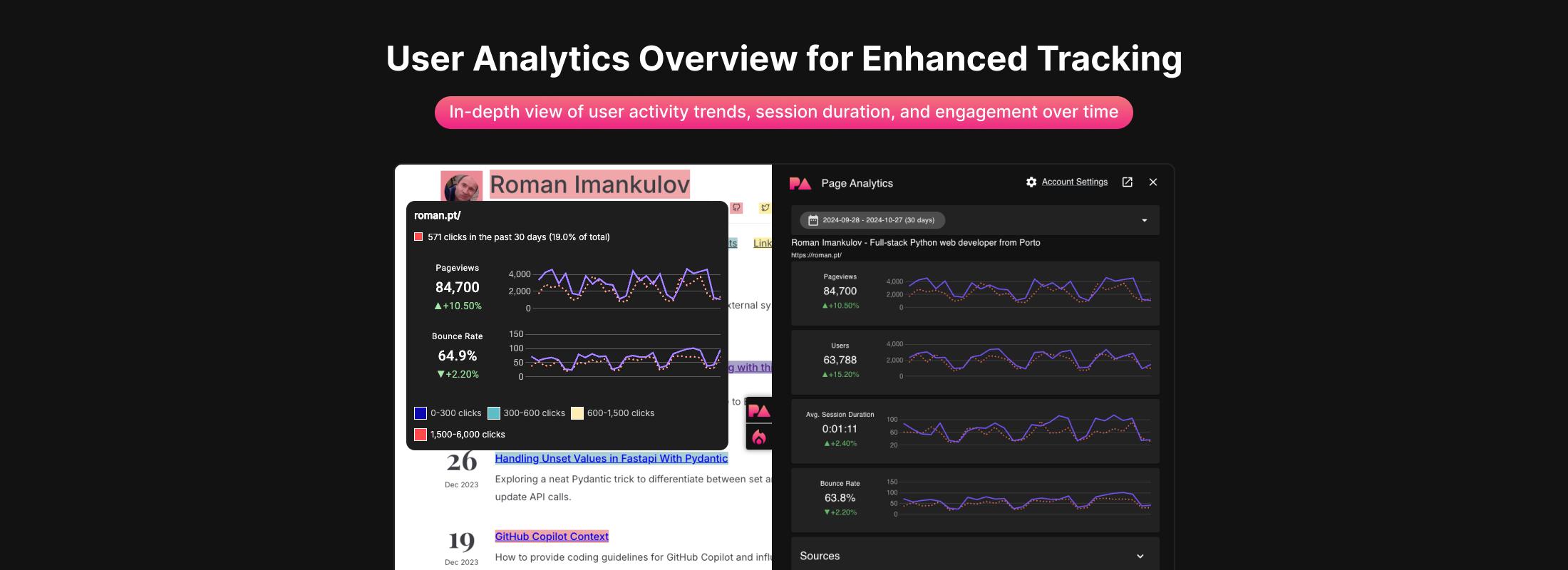
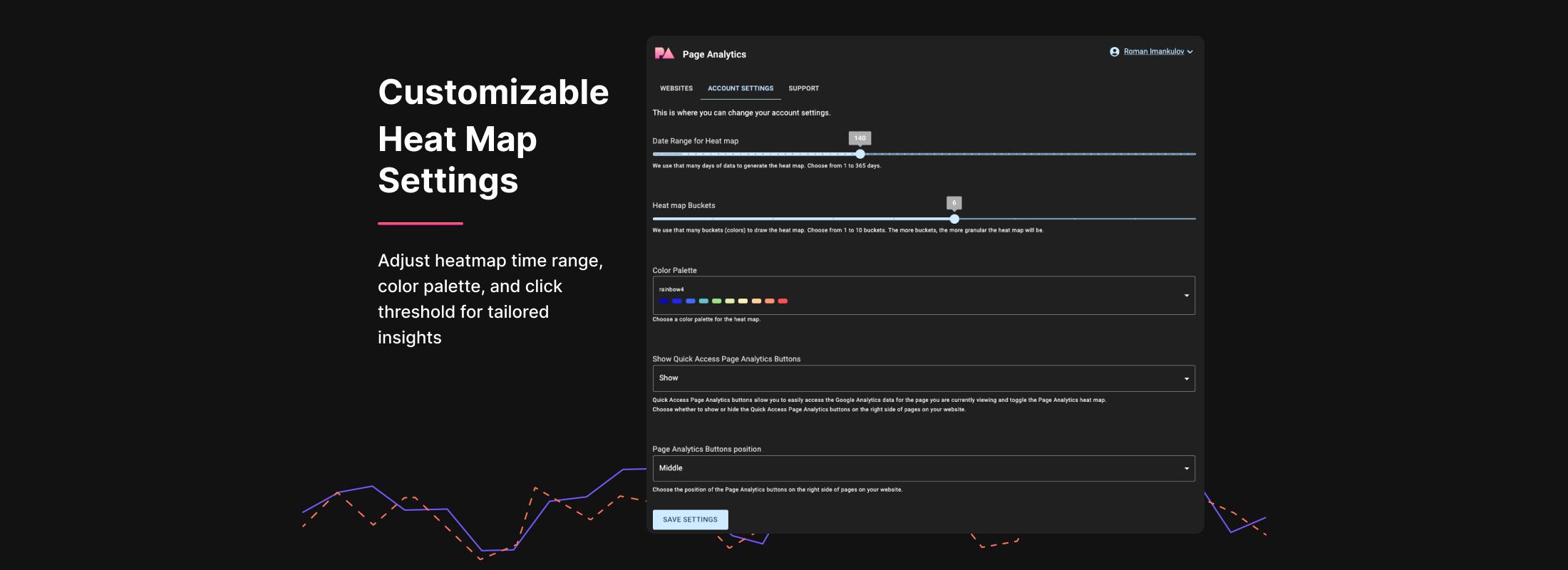
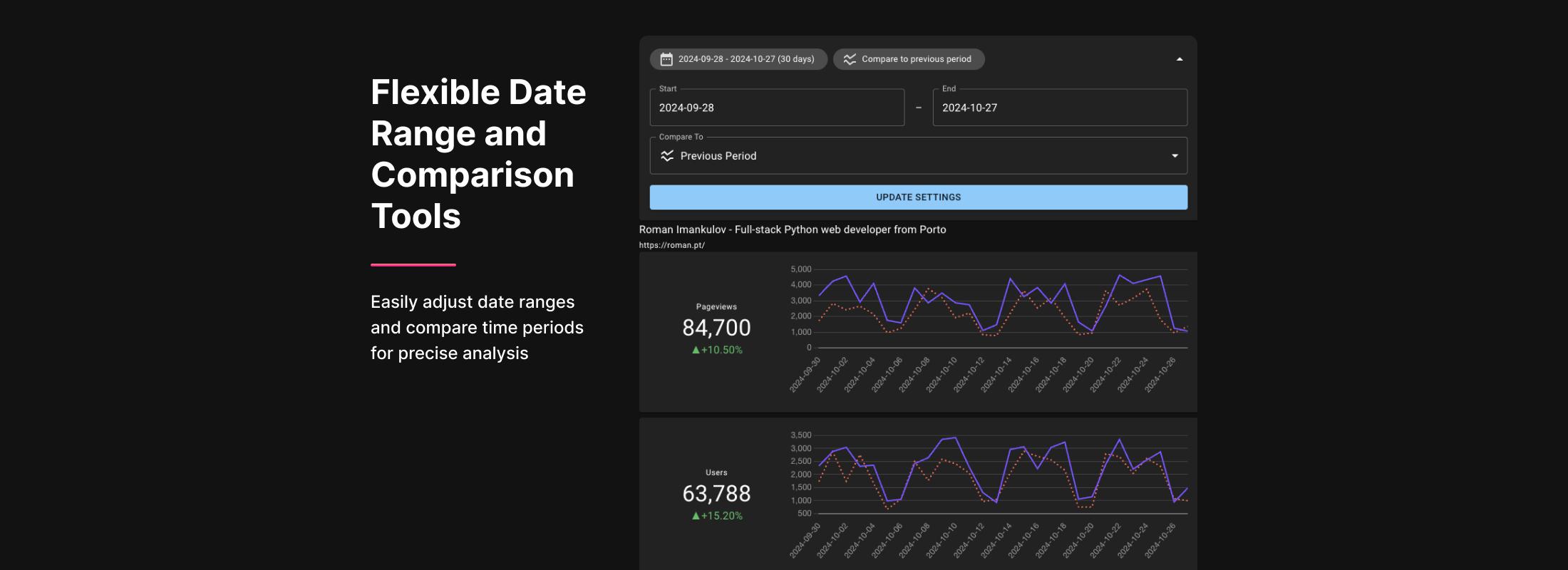
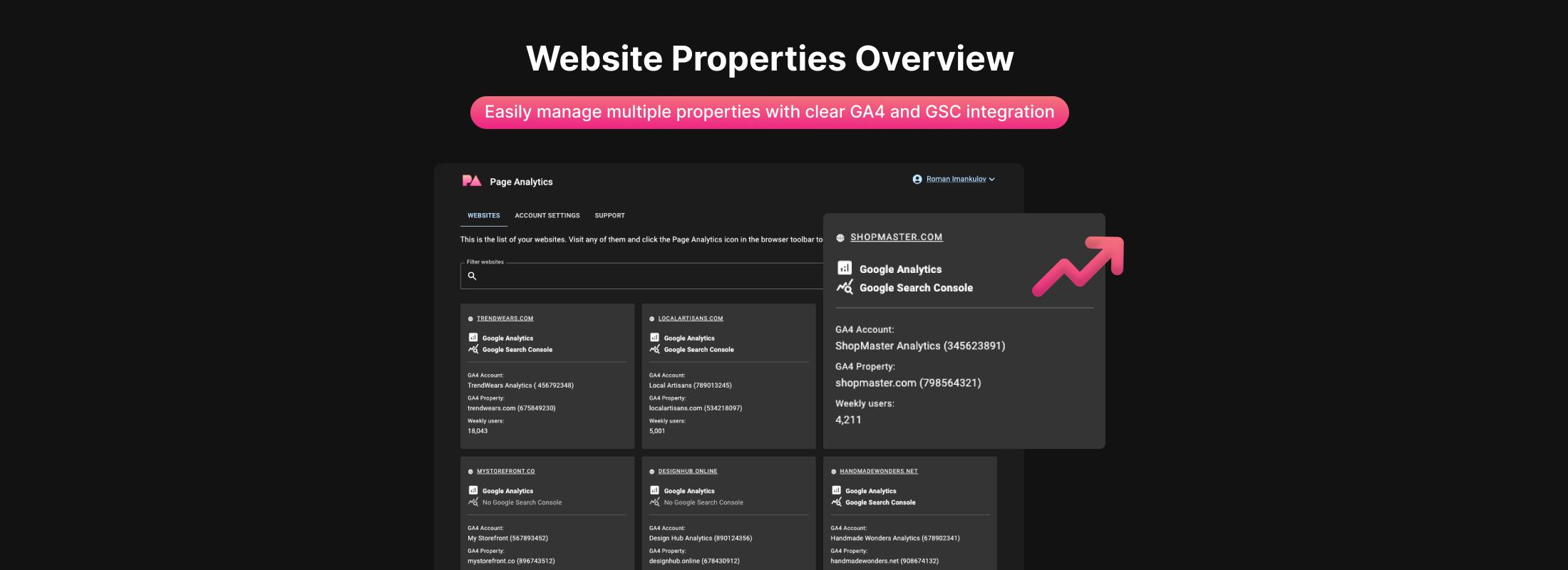
Install the Chrome extension, sign in with Google, and your data shows up on every page you visit.
See where visitors click, directly on your pages. No extra tracking code needed.
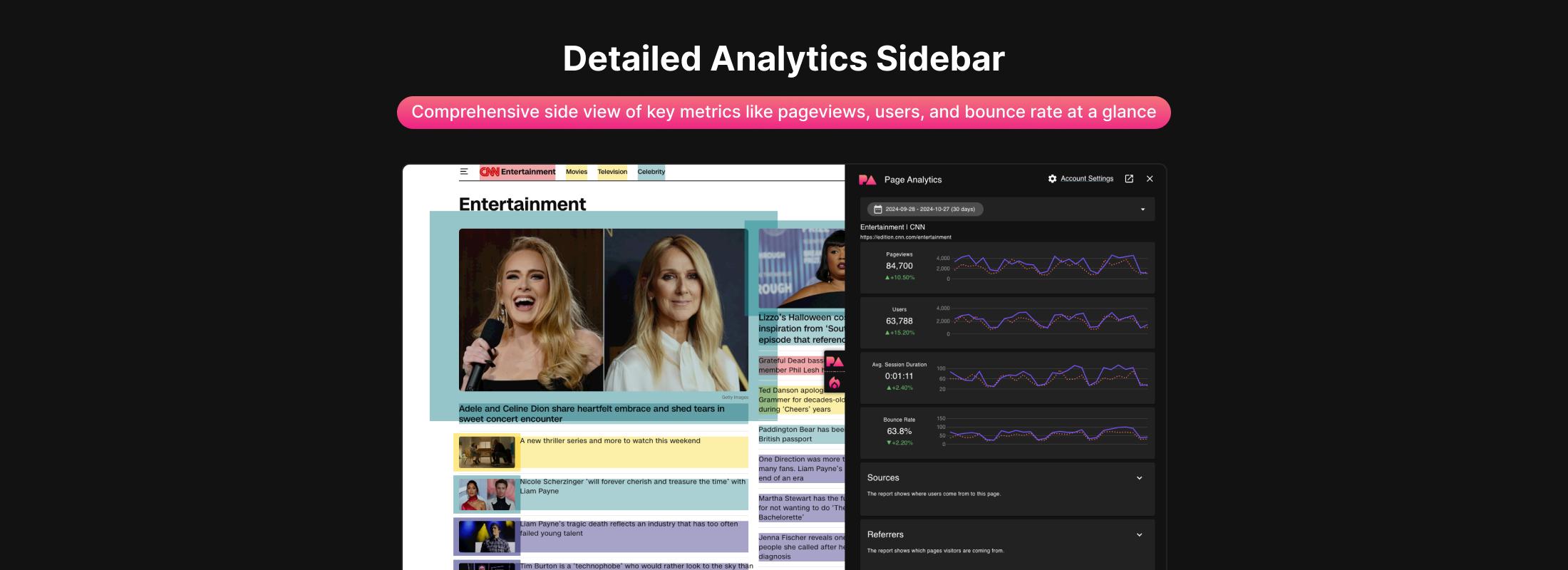
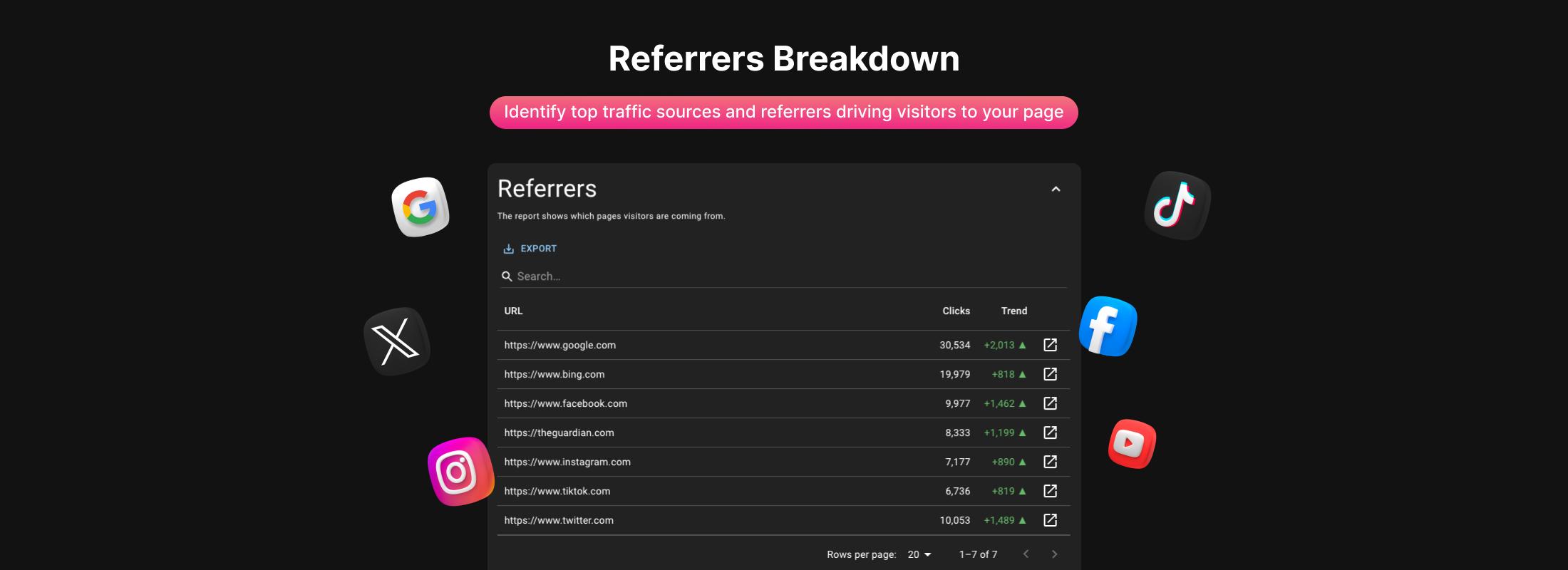
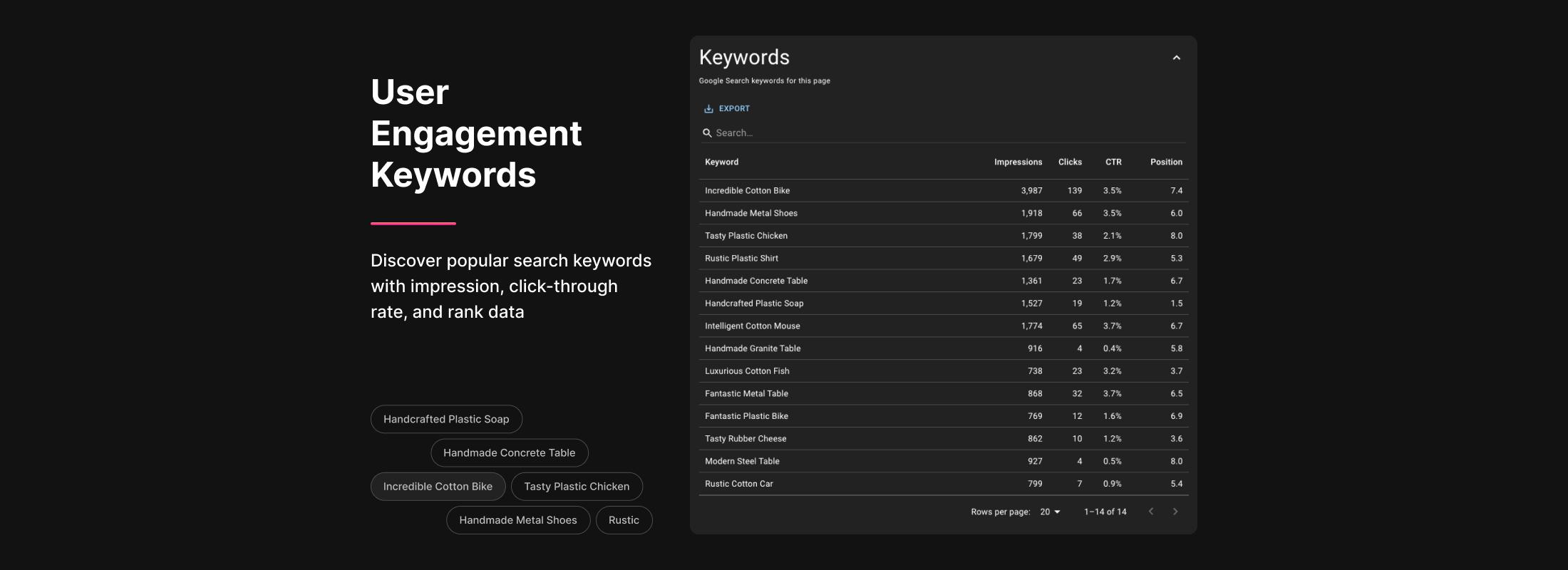
Pageviews, bounce rate, traffic sources, and top search queries show up in a sidebar as you browse your site.
A web dashboard that shows traffic, conversions, and trends across all your pages in one place.
Ask questions about your analytics in plain English. Get answers with charts, not more dashboards.

CMO, SwimOutlet
“GA4 is a disaster, and when you are an operator/marketer/merchandiser, working in a fast pace environment, this extension will save you so much time. The most useful features for me are looking at page views using the extension, page value over time, as well as the new trends feature, which allows me to spot seasonal trends. It's also very snappy, unlike GA4, so the insights are immediate. I highly recommend this tool!”
Just the plugin I've been looking for since the Google in-page extension was deprecated. Works nicely with GA4 and GSC. Top notch support.
Made by RedI had an inquiry about a feature and within the same day, Roman implemented it.
Angela C.The extension works and the engineer is super receptive for requests. He implemented my request within a few hours.
Koen D.No credit card required. Install the extension and sign in with Google.
Have more questions? Check the help center or email roman@pageanalytics.io
Page Analytics puts your GA4 and Search Console data where you actually work: on your site, in a dashboard, and in an AI assistant you can ask questions. Instead of clicking through GA4 reports, you see click heatmaps, traffic sources, and search queries right on the page.
Page Analytics connects to your GA4 and Search Console accounts through Google's APIs. The Chrome extension shows your data in a sidebar as you browse. The web dashboard gives you page reports and trends. And the AI assistant lets you ask questions about your traffic in plain English.
Your free trial lasts 3 weeks. After that, you must subscribe to continue accessing Page Analytics features.
Yes, you can subscribe for $9/month or $90/year. Both plans include all features.
Yes. Your data is only used to display your stats in Page Analytics. We don't collect, analyze, or share it for any other purpose.
You can find our full privacy policy at https://pageanalytics.io/privacy.
When you authorize Page Analytics, we securely store an access token so we can retrieve and display your GA4 and Search Console data. We never expose or share this token. If you want to cancel access, you can revoke the Page Analytics permissions in your Google account settings at any time.
Yes. We have a no-questions-asked refund policy. Full refund within 30 days of your purchase, or prorated refund at any time after the first 30 days.
Right now we only offer individual plans. If you need something for a team, reach out at roman@pageanalytics.io.
Page Analytics is built by Roman Imankulov, a software engineer based in Barcelona, Spain. It's a one-person project and I handle everything from code to support.
