
Request access to Google Analytics or Search Console
Page Analytics reads website data from two Google services. Your Google Analytics permissions determine whether a website and its traffic data appear. Your Search Console permissions determine whether you can see search queries and indexing status.
If any of this data is missing, the Google account you signed in with usually lacks access to the relevant property. Page Analytics cannot grant that access. Check which Google account you are using, ask the property owner for permission, and then refresh your websites.
Check your Google account
This guide applies when:
- The dashboard says No websites connected yet.
- A website is missing from the dashboard.
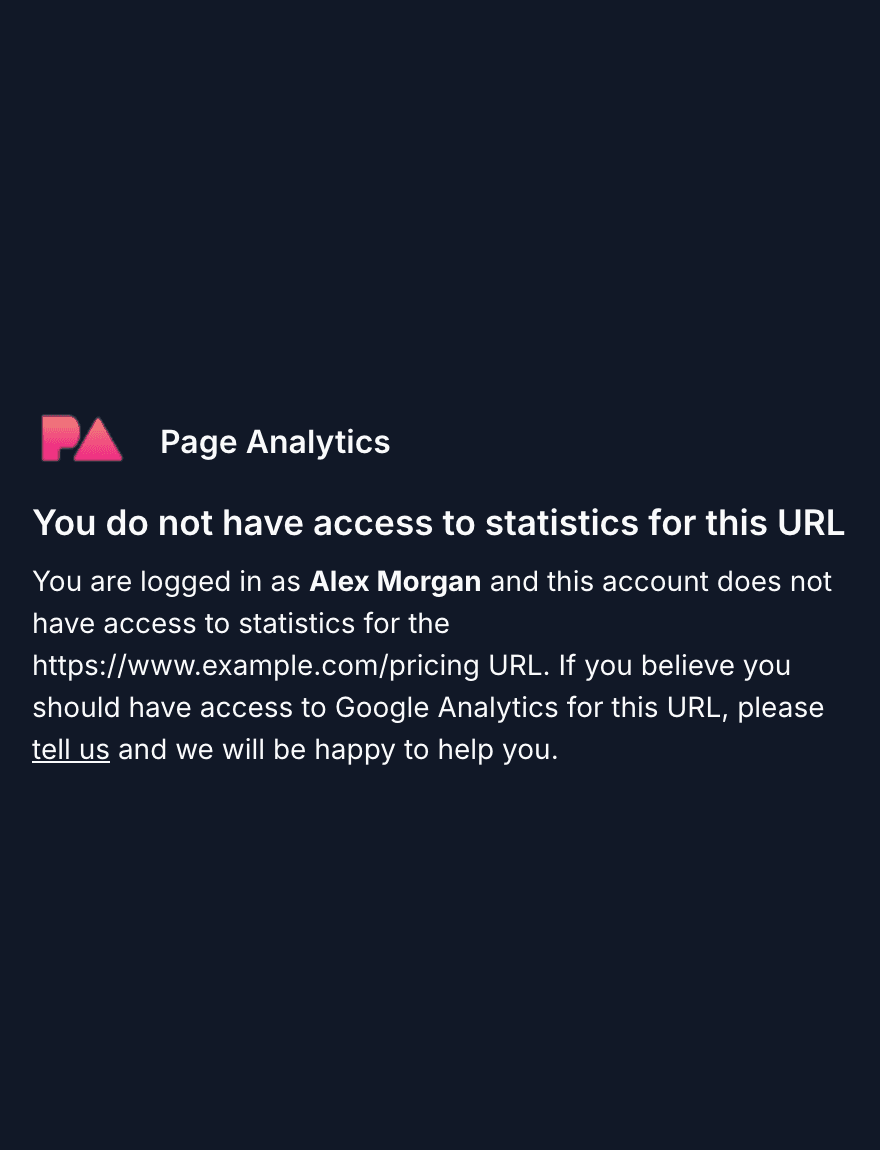
- The sidebar says You do not have access to statistics for this URL.
- A website appears, but its search queries or indexing status are missing.
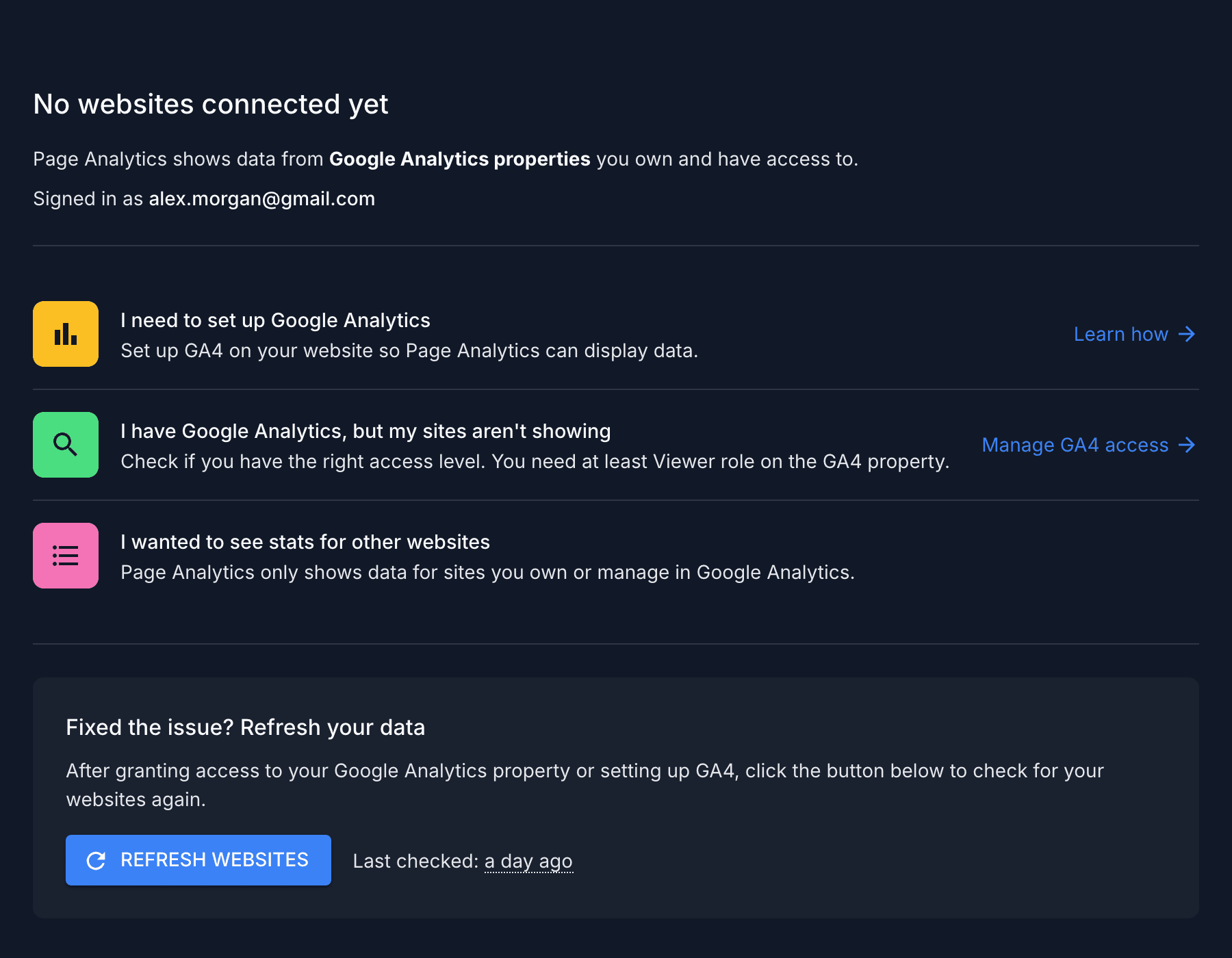
The dashboard shows your address after Signed in as. The sidebar also includes it in the no-access message. Make sure this is the Google account that should have access to the website. For example, the property may belong to your work account while you are signed in with a personal Gmail address.
Request the right access
The access you need depends on which data is missing:
- For website, traffic, or engagement data, ask a GA4 Administrator for the Viewer role on the GA4 property.
- For search queries or indexing status, ask a Search Console Owner for Full permission on the Search Console property.
Ask for both permissions if both types of data are missing.
Google Analytics
An Administrator of the GA4 property, or of its parent account, can add you. Ask them to grant the Viewer role to the Google account you use for Page Analytics.
In Google Analytics, they can open Admin, select Access management, then select + and Add users. See Google's guide to adding Analytics users and its GA4 role descriptions.
Search Console
Only an Owner of a Search Console property can add you. Ask for Full permission. Restricted permission lets you see search queries and impressions, but it limits the URL Inspection tool used for indexing status.
In Search Console, they can open Settings, select Users and permissions, then select Add user. See Google's guide to managing Search Console users and permissions.
Message you can send
Replace the example domain and email address, then send this to the person who manages the properties:
Could you add alex@example.com to the Google Analytics property for example.com with the Viewer role, and to the Search Console property with Full permission? I use Page Analytics, which reads the data through my Google account.
Refresh Page Analytics
After access is granted, wait a few minutes and click Refresh Websites on the dashboard. Reload any page where the sidebar was already open.
If data is still missing
Check these possible causes:
- If you skipped the Analytics or Search Console permission during Google sign-in, click Sign In to Update Permissions on the dashboard.
- If the website has little recent traffic, turn off the low-traffic filter in the dashboard toolbar.
- If Google Analytics is not installed on the website, follow Google's guide to set up Analytics.
If none of these fixes the problem, email Roman with the website domain, the Google account you use for Page Analytics, and the relevant GA4 or Search Console property name if you know it. I can check which properties your account reaches and tell you what is missing.